Contents
The Meta Ad Library is Meta's official transparency archive where you can search the ads currently running across its products. You can see what a competitor is advertising right now, but not what it spends or how many sales an ad brings in. This guide shows the four signals worth reading in the Meta Ad Library, and where each one stops being reliable.
- The Meta Ad Library is a searchable transparency archive of ads currently running on Meta products.
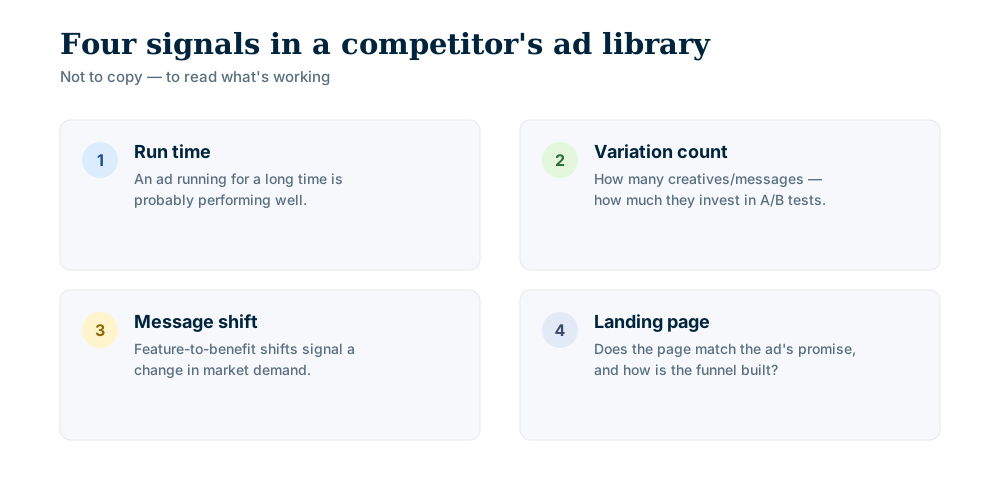
- Read four signals: run time, variation count, message shift and landing page.
- A long-running ad is often one that works, but that is a rule of thumb: the library gives no performance numbers.
- Meta describes spend and reach data only for social issue, election and political ads.
- The goal isn't to copy; it's to understand what's working and sharpen your own message.
What is the Meta Ad Library?
In Meta's own words, the library is a comprehensive, searchable database for ads transparency. All ads currently active on Meta products can be searched. Ads about social issues, elections or politics stay visible after they stop running and are kept for 7 years (Meta Help Center). Ads that reach people in the European Union are archived for one year after their last impression (Meta Transparency Center).
Competitor research is a side use of this archive: you can read which message a rival runs, with which creative, and for how long.
How do I use the Meta Ad Library?
Open Meta's Ad Library page, search a competitor's brand or page name, and its currently active ads are listed.
- 1Pick the country: Choose the market you sell in and the option for commercial ads.
- 2Search the brand: Type a brand name or keyword; similarly named pages can appear.
- 3Confirm the page: Check the page name, logo and linked account to be sure it is the real competitor.
- 4Filter: Narrow by platform, date or media type, then open ads one by one.
These steps describe the screen as it looks today; option names may change if Meta redesigns it.
Can I see a competitor's ad spend?
Meta's official pages describe spend and reach data only for social issue, election and political ads. For an ordinary commercial ad, do not expect a budget, click-through rate or sales figure: the library tells you what is running, not what it earned. You fill that gap with indirect signals such as run time and variation count.
Reading run duration and variation counts
An ad's run time is an indirect hint about how it performs: if a rival keeps an ad live for weeks, it probably sees no reason to turn it off. That is a rule of thumb, and Meta does not confirm it. Short bursts usually point to seasonal pushes, launches or tests.
Competitors also rarely run a single creative. The number of variations in one campaign shows how hard they are testing headlines, imagery, formats or audiences.
| Signal | What you see | Reasonable reading |
|---|---|---|
| Run time | How long the ad has been active | Long: likely a core, working offer. Short: a test or a seasonal push |
| Variation count | Different creatives in one campaign | Many: active A/B testing. Few: limited testing or a narrow campaign |
| Geography | Countries where the ad runs | Shows which markets the rival treats as priority |
These readings are rules of thumb, not measurements. The thresholds depend on the industry and the advertiser's size, so compare a rival against its own earlier ads rather than against a fixed number.
Seeing which variations survive helps you plan your own tests faster. When you read your own dashboards, keep traps such as why Meta's click metric flatters your ads in mind.
Tracking message shifts
Advertising messages evolve. By checking the library regularly you can watch a competitor move from product features to customer benefit, from price to trust, or toward a new audience. A shift like this often reflects market feedback or pressure from another rival.
What to look at when you read a message:
- 1Main theme: What is the single idea the ad pushes?
- 2Tone: Friendly, formal, urgent?
- 3Value proposition: What benefit or solution is offered?
- 4Emotion: Which feeling does it appeal to: trust, urgency, satisfaction?
Reading landing pages
An ad is only half the story; the landing page is where conversion happens. Each ad leads to a destination page, so click through and judge it: does it match the ad's promise, is the call to action clear, does it work on mobile?
Mismatch between ad and page usually means wasted spend, a mistake you can learn to avoid. A smooth hand-off to a relevant, fast page suggests a well-planned funnel.
Key elements to check on a competitor's landing page:
- 1Relevance: Does the page deliver on the ad's promise?
- 2Clarity: Is the offer clear and the call to action prominent?
- 3Experience: Is it easy to navigate and responsive on mobile?
- 4Trust signals: Are there testimonials, badges or clear contact details?
For a wider view of what a rival does beyond its ads, a Brand and News Radar helps you follow their wider market presence.
turn what you read into your own tests
The Meta Ad Library cannot tell you what a rival earns, but it shows what they run, how long they keep it and where it leads. Read the four signals together, save dated snapshots and turn what you find into your own tests rather than copies. If you want to track these signals on a schedule, see the plans on our pricing page or reach us through the contact page. The features overview lists what you can automate.
Bring content, scheduling and replies into one panel. Start with a free account; scheduling and images come with paid plans.